Author: ContentHub
What is rel = «nofollow»
The Nofollow attribute is part of the HTML code and indicates to search engines that a link should not be taken into account when calculating the relevance and weight of a page. It appeared in response to attempts to manipulate the ranking of web pages in search engines by creating a large number of links to artificially increase their popularity.
Today, it is common to use more precise variants of the attribute:
- rel="sponsored";
- rel="ugc".
In this case, nofollow functions without any changes. When a webmaster adds this tag to a hyperlink, he does not want to transfer his authority to search engine robots to the site he is linking to. It is useful, for example, when the url leads to an external resource that the webmaster does not trust completely or that features content with irrelevant themes.
Although Google recently announced that it has started using links with this tag as cues when scanning, indexing and ranking pages, this does not mean that they convey full weight and authority like regular "DoFollow". However, using such an attribute is still a way to control how search engines interpret and process urls on a website.
When you need to use the nofollow tag on a website
We propose to consider in more detail why nofollow tags are necessary:
- Irrelevant sources. If the link leads to resources that are not relevant to the subject of the site or are undesirable, closing them from indexing will help in avoiding a negative impact on ranking in search results.
- Preventing negative SEO. Tracking and managing the quantity and quality of external url`s is an important aspect of SEO. Closing unwanted or spam url`s from indexing helps prevent a resource from being subjected to search engine filters related to negative SEO.
- Protection from spam. Users can leave spam comments on the site with links that can harm its reputation in the eyes of search engines. Applying link rel nofollow helps prevent spam indexing and keeps the link profile clean.
- Managing page weight. If some pages have only technical purposes and are not intended for indexing, closing url on them will help keep the weight of pages that are important for SEO promotion.
Impact of nofollow links on link profile
Let`s take a look at exactly how nofollow external links affect your link profile:
- Link profile diversity. Through their use, you can diversify your link profile, which is considered one of the key factors in SEO. It allows you to demonstrate the naturalness and diversity of your promotion strategy.
- Support for "unofficial" SEO metrics. Some metrics, such as Domain Authority and Alexa Rank, can take into account both dofollow and nofollow links when evaluating the authority of your resource. The latter are the ones that most often help improve these metrics.
- Attracting traffic. Even if a link has a Nofollow attribute, it can still attract users to your site if they are interested in the content or information presented on the page.
- Increasing brand visibility. Mentioning your brand in the context of such urls helps strengthen your online presence and increase brand awareness.
- Social media support. Nofollow links are often used on social media where users actively interact with content. It can lead to spreading your content and attracting new audiences.
- Safety from sanctions. Using such links will protect your website from possible negative consequences associated with unwanted or spam links.
- Building trust. Creating href nofollow urls from authoritative and reliable sources allows you to improve the credibility of the platform both from users and search engines.
- Attracting the attention of journalists and bloggers. Even if the url has a nofollow attribute, it can attract the attention of content writers who will later mention your site in their articles or blogs.
- Building a natural link profile. It is important to have a diverse and natural link weight, including both paid and free dofollow and Nofollow for SEO, to show search engines the naturalness of your promotion strategy. As practice shows, the latter are more useful. Since they allow you to interact with your audience, thereby getting targeted traffic and increasing your profits.
How to check the nofollow tag of a link
You can check the tag a href rel nofollow in several ways:
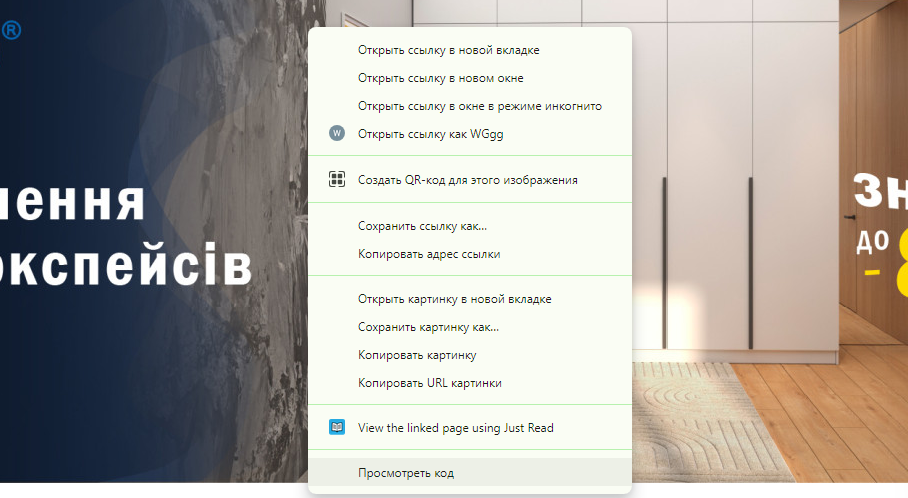
- Viewing the page code. You can manually view the HTML code of the page where the link is located and check for the presence of the attribute. In Google Chrome browser, you can do this by right-clicking on the hyperlink and selecting "View Code" or "Explore Element". In Firefox, it is similar by using "Explore Element" or "View Code".

- Using plugins. Browser plugins can automate the process of checking the tag. For example, RDSBar (SEO Toolbar) shows information about urls, including data on the presence of this attribute. Such tools as Nofollow - a simple plugin that highlights tags with a red frame for easy detection - are also very popular. Also, SEOquake is a convenient extension for Google Chrome that provides basic SEO data. To check page elements, you can click on the "internal" and "external" sections to see the number of all urls with Nofollow attributes in HTML and Dofollow.
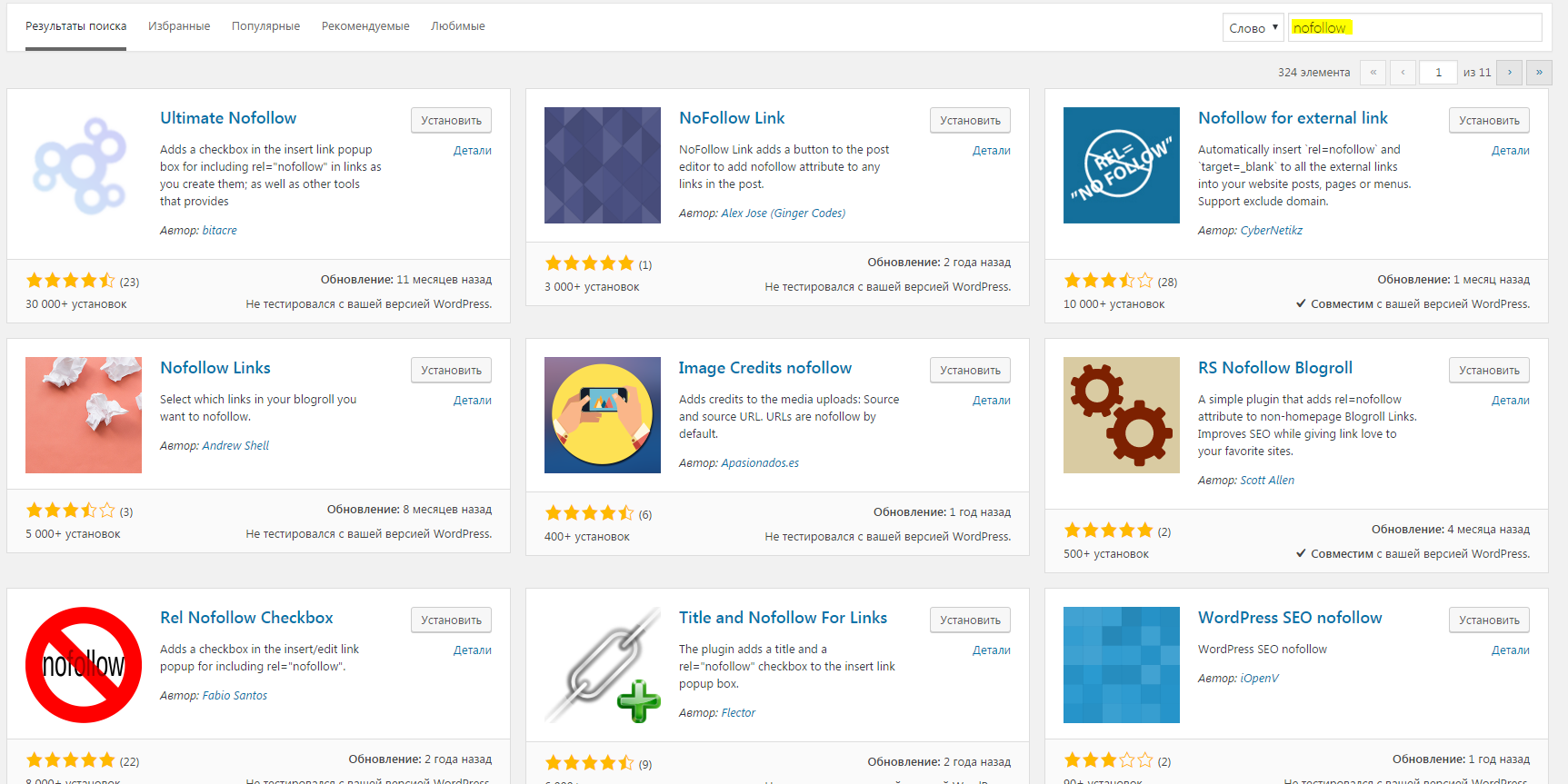
- Bookmarklets. These are small JavaScript scripts that can be added to browser bookmarks. They can perform various tasks, including tag validation. Examples of bookmarklets can be found on the Internet, you just need to drag and drop them into your browser`s bookmarks bar and then run them on the desired web page.
These methods allow you to conveniently and quickly check the presence of nofollow marking of links both manually and using special tools and plugins.
How to check nofollow internal links on a website
To check nofollow internal links, you can use some popular services:
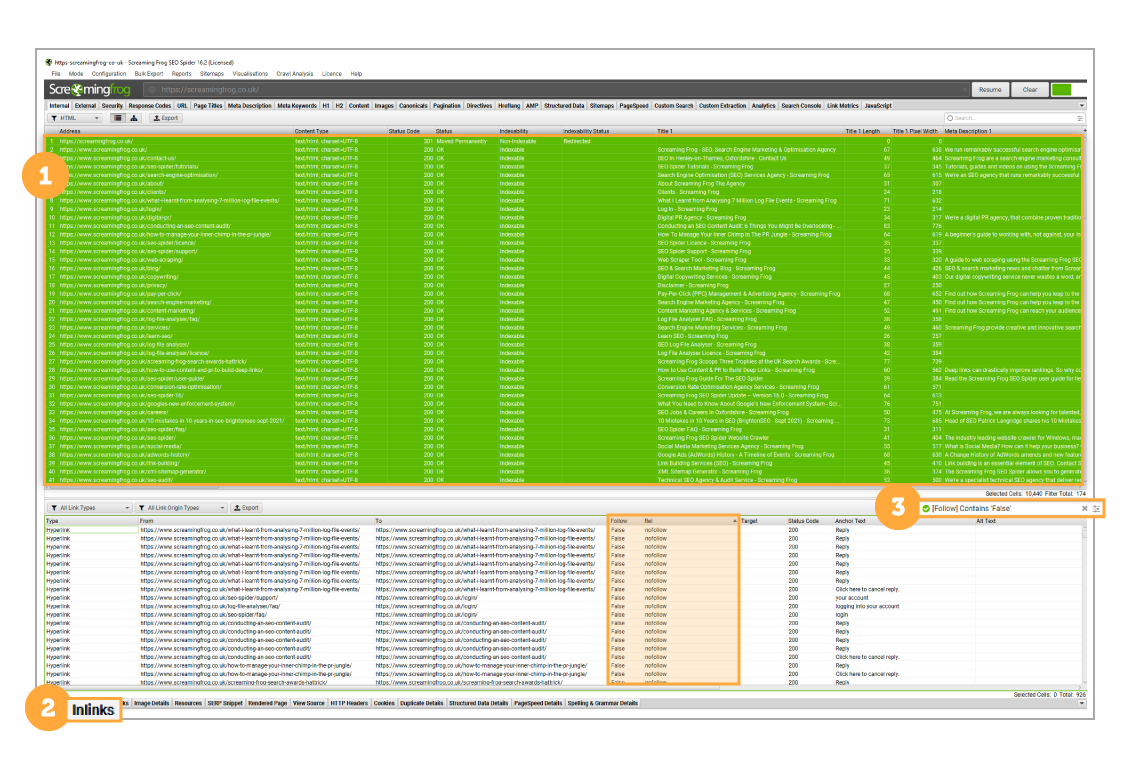
- Screaming Frog SEO Spider. Open Screaming Frog SEO Spider and enter the address of your web site. Once the scan is complete, go to the "Inlinks" tab. Filter the "Inlinks" list to display the items with the label you want. To do this, type the following in the search box on the bottom bar: "lie". You can also see the rel tag in the "Rel" column and filter out specific attributes, such as: "ugc". Make sure the spider scans internal links by selecting the appropriate settings under "Configuration" > "Spider" > "Scanning".
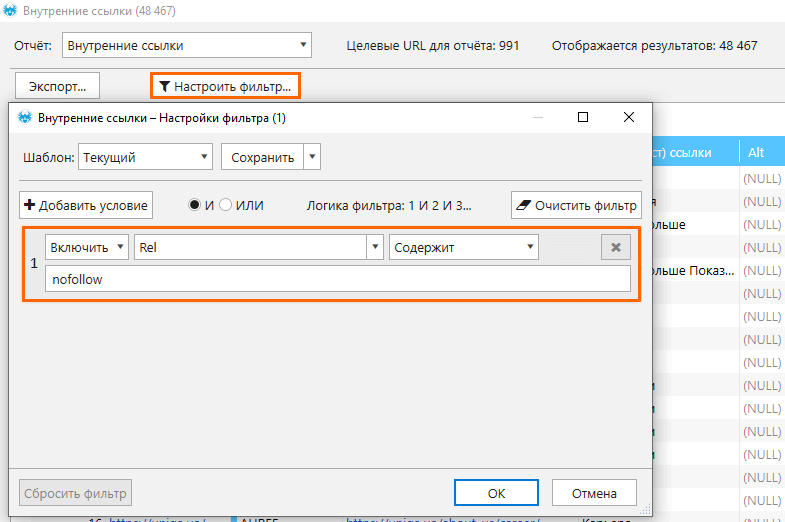
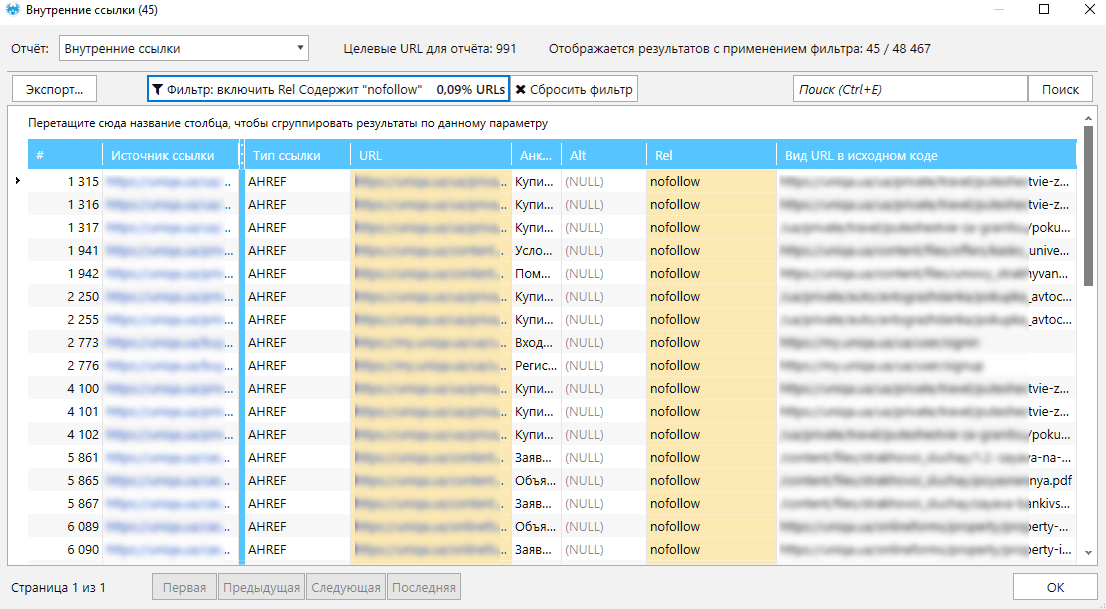
- Netpeak Spider. Launch Netpeak Spider and enter your website address. After the audit is complete, open the "Internal Links" report. Apply a filter to display only elements with the rel nofollow tag in html. Check the settings to make sure the spider is analyzing the data in full.
How to find external nofollow links
You can find external urls with the appropriate attribute using the following popular tools:
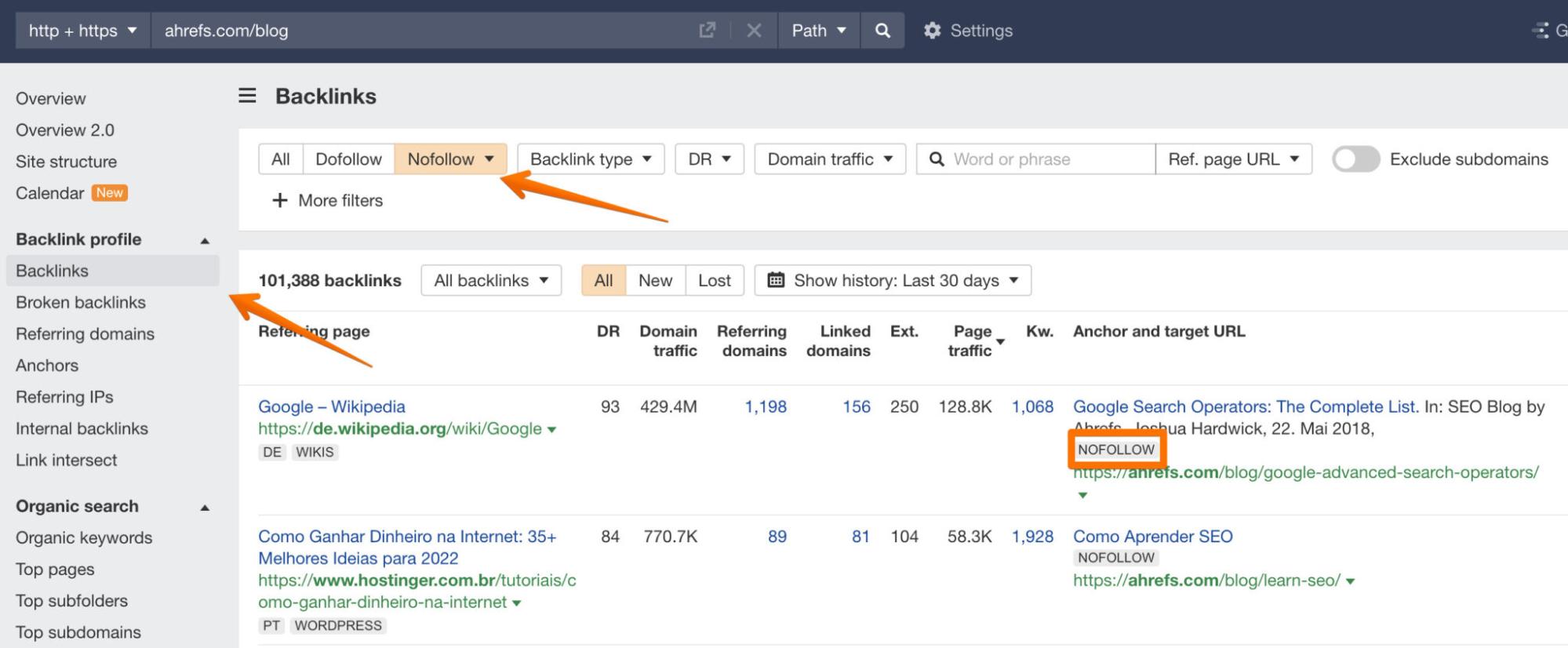
- Ahrefs. Go to the "Backlinks" section and enter the address of your resource. Apply a filter to display only links with the nofollow attribute. Ahrefs will show you all elements with this attribute, as well as provide information about domain authority and other metrics.
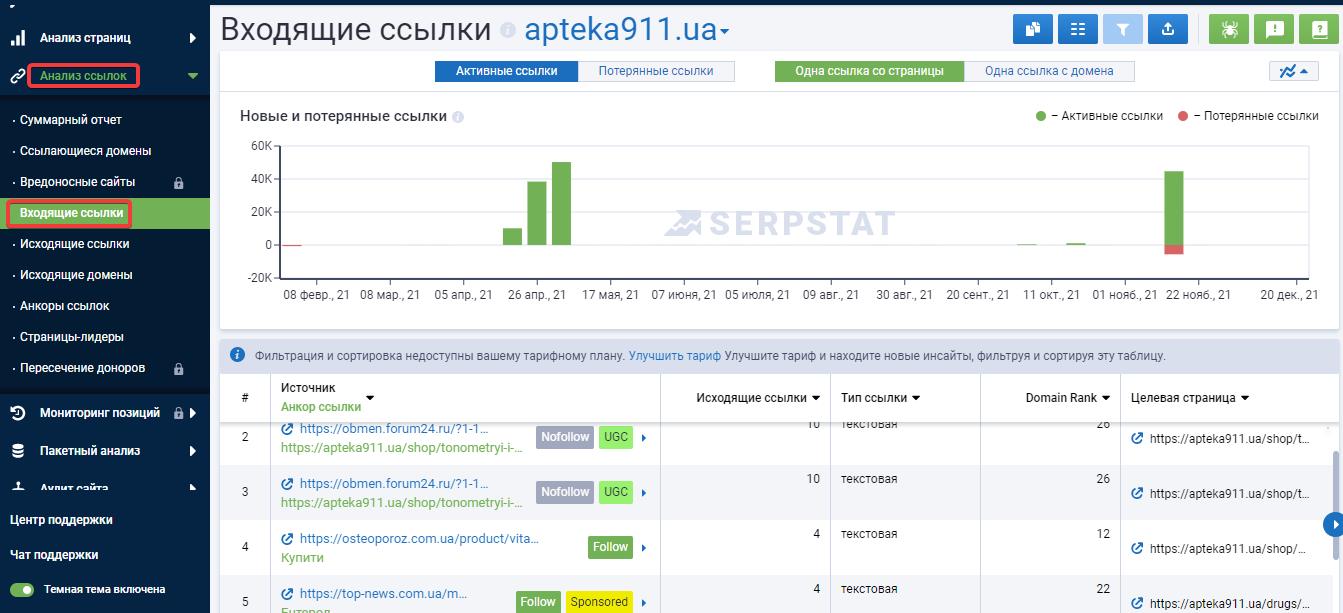
- Serpstat. Enter your website address in the "Link Analysis" section. Apply a filter to display only links with the nofollow tag. Serpstat will provide a list of external url`s and additional data about them, such as domain authority and trust rank.
On what platforms can you place nofollow links
You can use the following methods to get Nofollow link to your site:
- Commenting on blogs and forums. Leave good comments on blogs, forums and other online platforms with active communities. Some of them may include your url with the attribute in question.
- Collaborate with partners. Establish partnerships with other websites or brands and invite them to post your link, including your url with the tag in question. It can be, for example, citations in company catalogs.
- Create profiles on social media, Q&A platforms. Create active profiles on popular social media platforms such as Facebook, Twitter, LinkedIn, and Q&A platforms such as Quora. Post useful content and incorporate urls to your website.
- Posting on wiki platforms. Create informative articles on wiki platforms, such as Wikipedia, with a link back to your web resource. Wikipedia and other similar platforms can add a rel nofollow link.
- Create video content. Upload videos to popular video hosting sites (YouTube, etc.), adding a link to your website in the description. You can place urls with the tag we need on some video hosting sites.
We have considered a useful attribute to deal with spam. It is actively used to create a natural link profile and help resources gain the trust of search engines. You can find even more useful information in the Contenthub blog.


 172
172
 1447
1447
