

 178
178Content.Hub
SEO, Linkbuilding, Content marketing for business
Click `Register`, you confirm that you have read, fully agree and accept the terms Terms of use of the site
Already sign up Login
 1448
1448
In this article, we will tell you how to properly check the links to a site, and what verification services exist. Backlinks play a crucial role in the ranking of a resource by search engines and affect its quality. The reputation and position in search results are also determined by how and in what context the site-acceptor is mentioned. Therefore, it is important to make the most effective use of links for optimization, pay attention not only to their quantity, but also to their quality. By the way, useless or low-quality link mass can even harm your ranking. Read more about these and other points below.
Backlinks are hyperlinks from third-party web resources that direct to your website. They play an important role for its reputation and visibility in search engines.
Checking backlinks is important for several reasons:
Here are a few important parameters to consider when analyzing:
There are various services for analyzing backlinks that provide extensive data sets and analytics.
Among such tools, the following deserve special attention:
Let`s take a closer look at what functionality they have and what opportunities to check the external links of the site provide. Thanks to this, you will be able to choose the option that will become your reliable partner in improving the reputation of the web resource.
It is a free tool that can be used to detect all backlinks that are visible to Google.
The webmaster console also provides the following information:
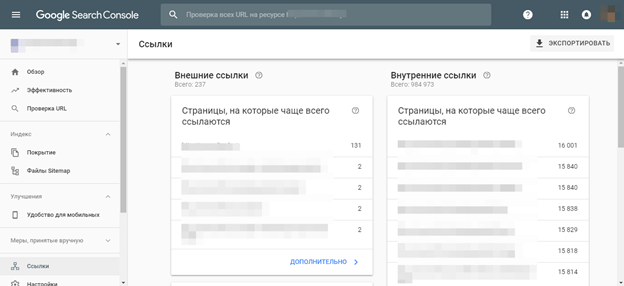
The information provided in Google Search Console is up-to-date. However, the functionality of the service is quite limited, especially in comparison with some analogs. At the same time, its interface is simple and clear. To check backlinks, you need to go to the "Links" tab, then "External". It will show the sites that most often mention your web resource. By clicking on the " More" button, you will get more detailed reports on each item. It is also worth noting that all the information can be exported to a table for easy study.
Ahrefs is a paid service for analyzing backlinks to a website. It provides extensive features for studying and monitoring backlinks, including information about domains, pages, anchor texts, link structure and much more.
Using Ahrefs, you can assess the quality of outgoing links, identify their sources and determine which of them can be used to improve the ranking of a web resource in search engines.
Also, its functionality implies the ability to:
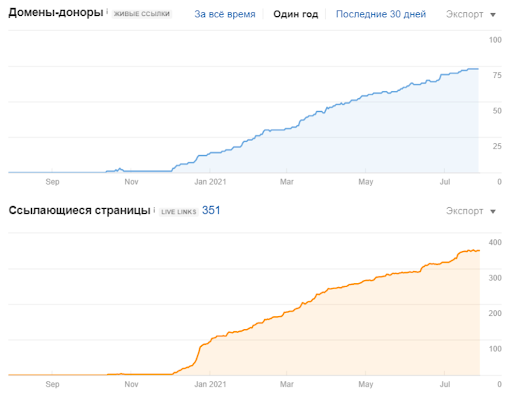
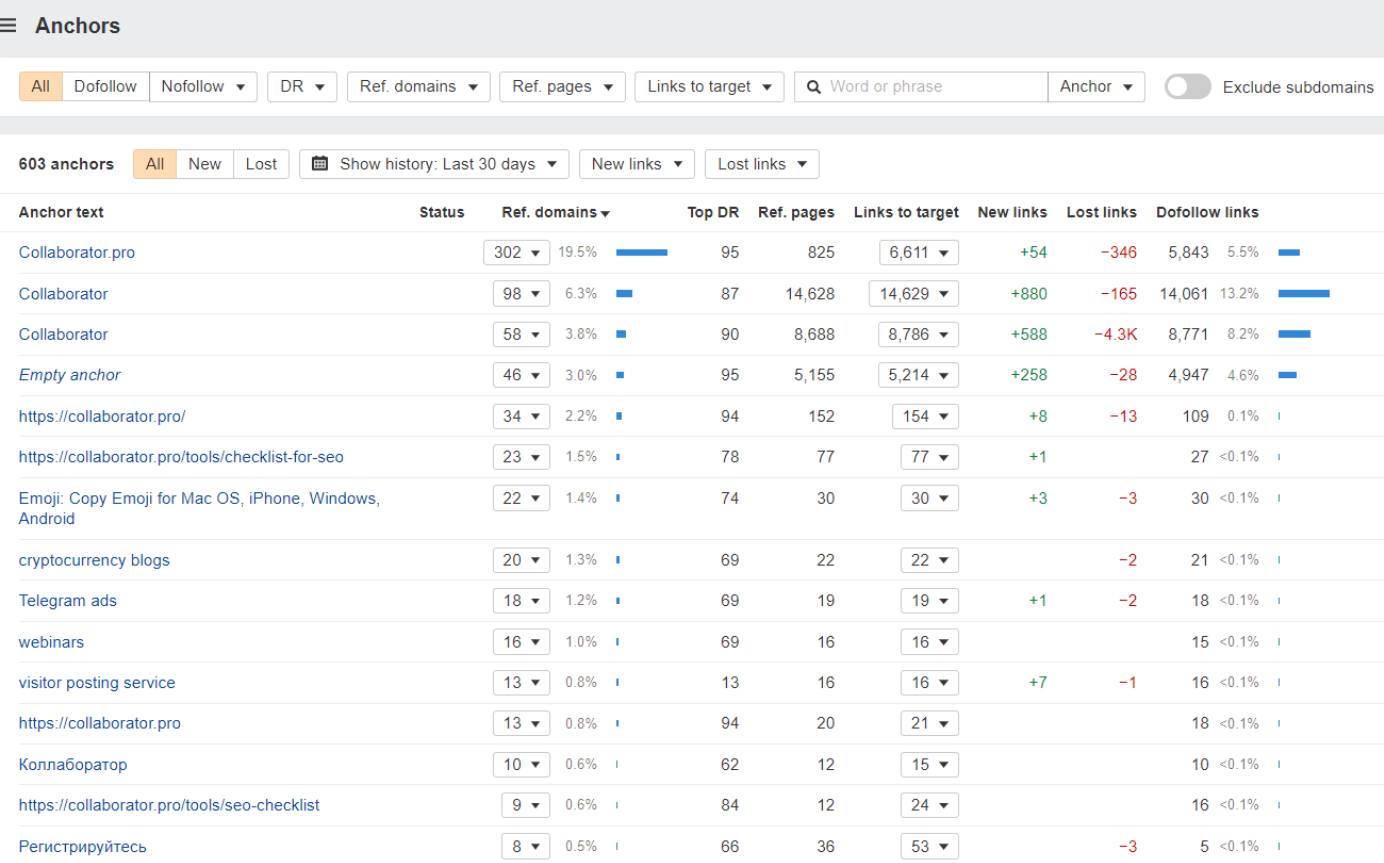
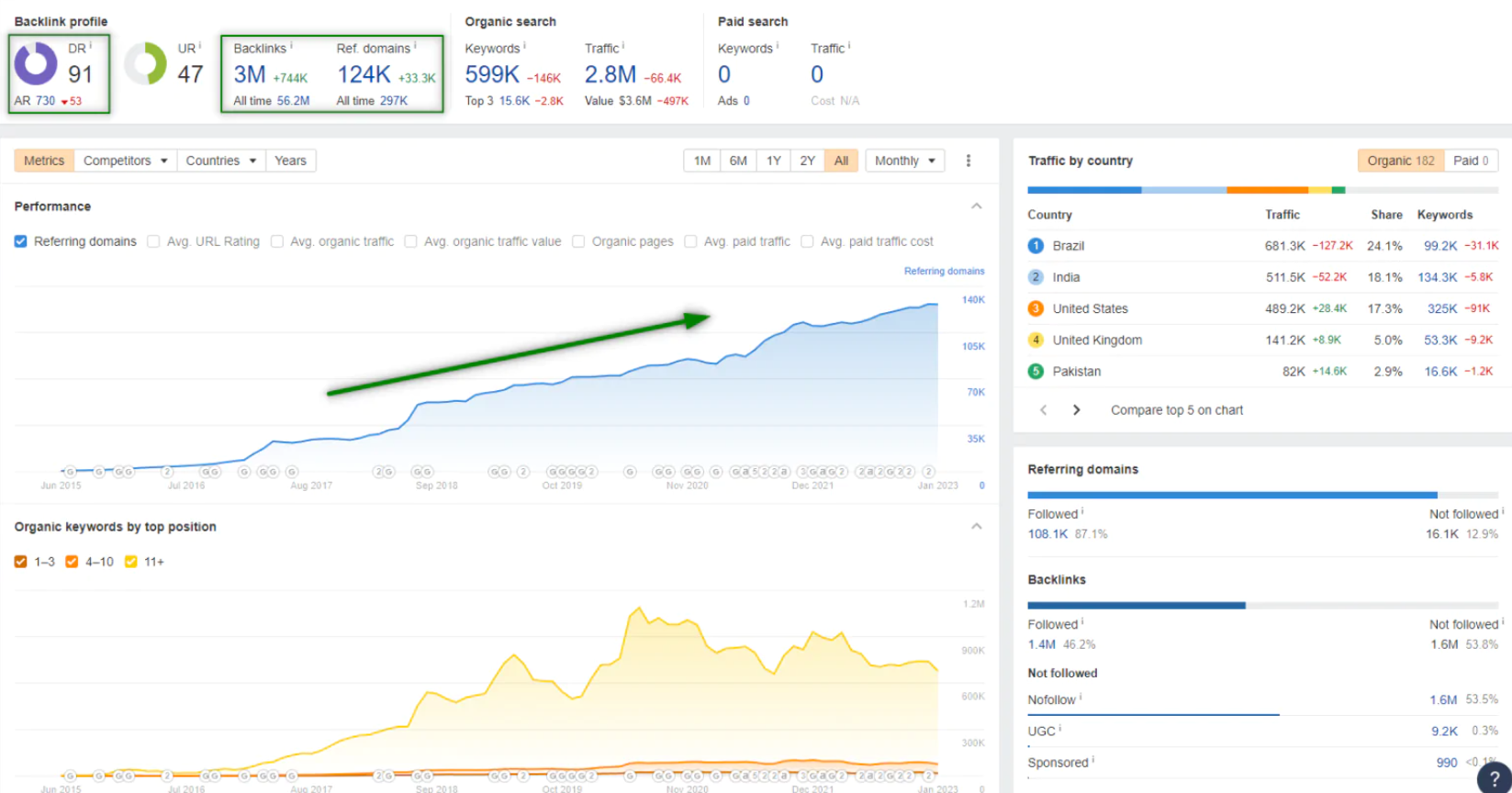
The service provides an extensive set of tools and data, and performs a highly accurate analysis of incoming links to the site. However, it should be noted that its use is associated with high costs: the cost starts at $ 99 per month, and the maximum tariff reaches $ 999.
Semrush provides the following features:
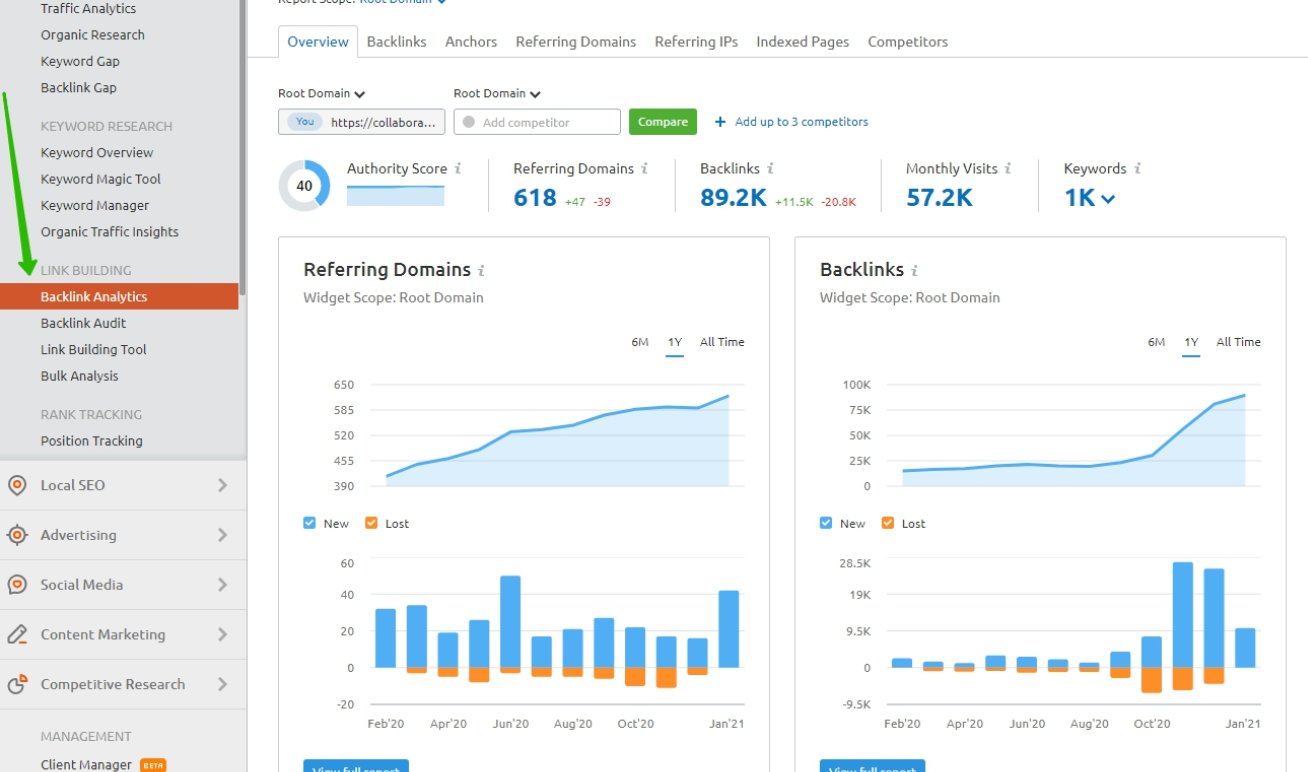
This service is a paid service, and it costs 9.95 per month for the PRO version, 9.95 for the Guru version, and 9.95 for Business. However, you can use the free version for seven days to evaluate its functionality and effectiveness.
Majestic is an online service for analyzing external links on a website that provides a variety of tools for evaluating important parameters of the link activity of websites.
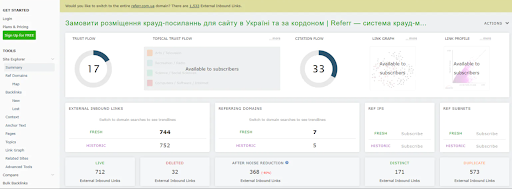
Its main features:
Majestic offers a limited but free version as well as a paid version that starts at .
Moz is one of the top foreign services designed to check a site for backlinks. Its use is possible, both in free format (version Moz Free, designed for a cursory SEO-analysis), and in paid one (Moz Pro, which has extensive functionality, including in the field of SEO).
The service has both advantages and disadvantages:
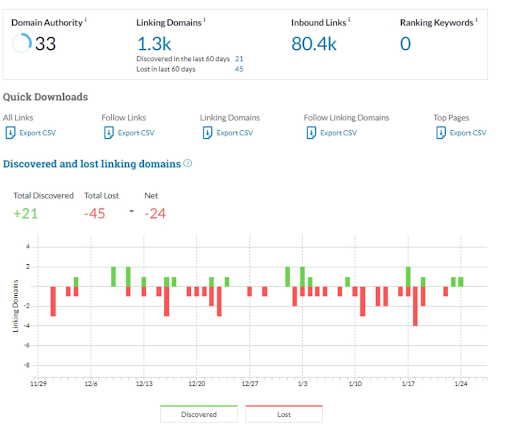
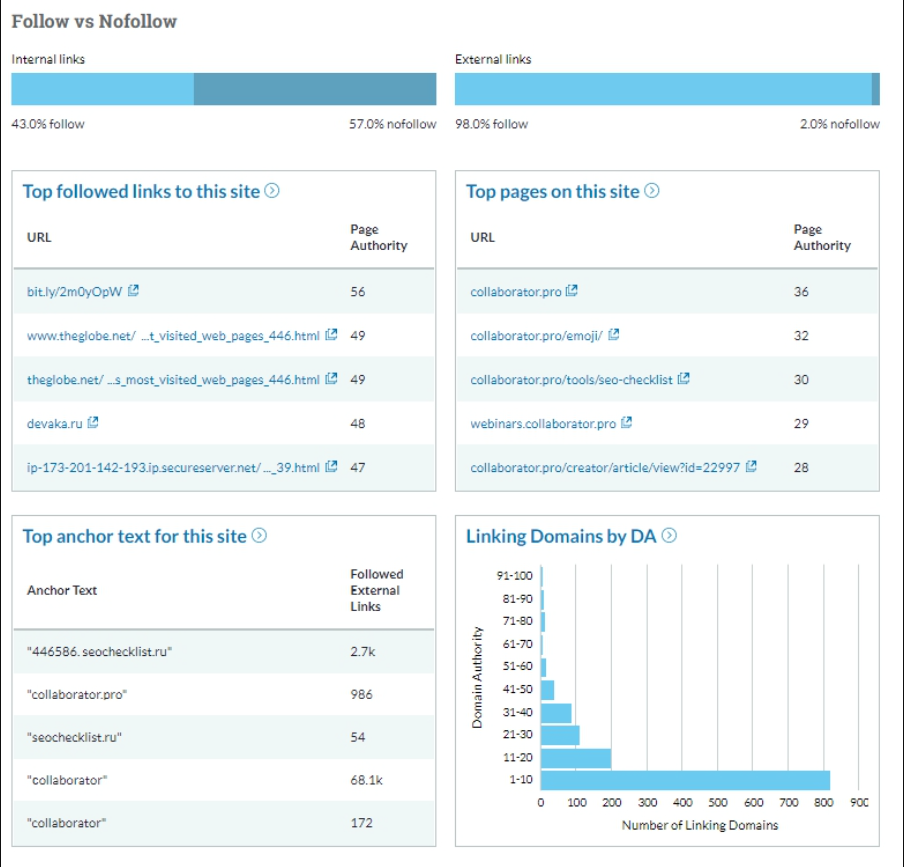
Using Moz will cost you between and 9, and a 30-day free trial is also available.
It is a tool that has its own link index. Its use allows you to check backlinks to your own website and your competitor`s resource. The service is paid, and its cost depends on whether the subscription is purchased for a month or a year. If you buy a subscription for a month, the price varies from 59 to 479 dollars. For a year, it ranges from to 0. There is also a partially free service with limited functionality. With its help, you can analyze the SEO parameters of a particular page, perform domain analysis, etc.
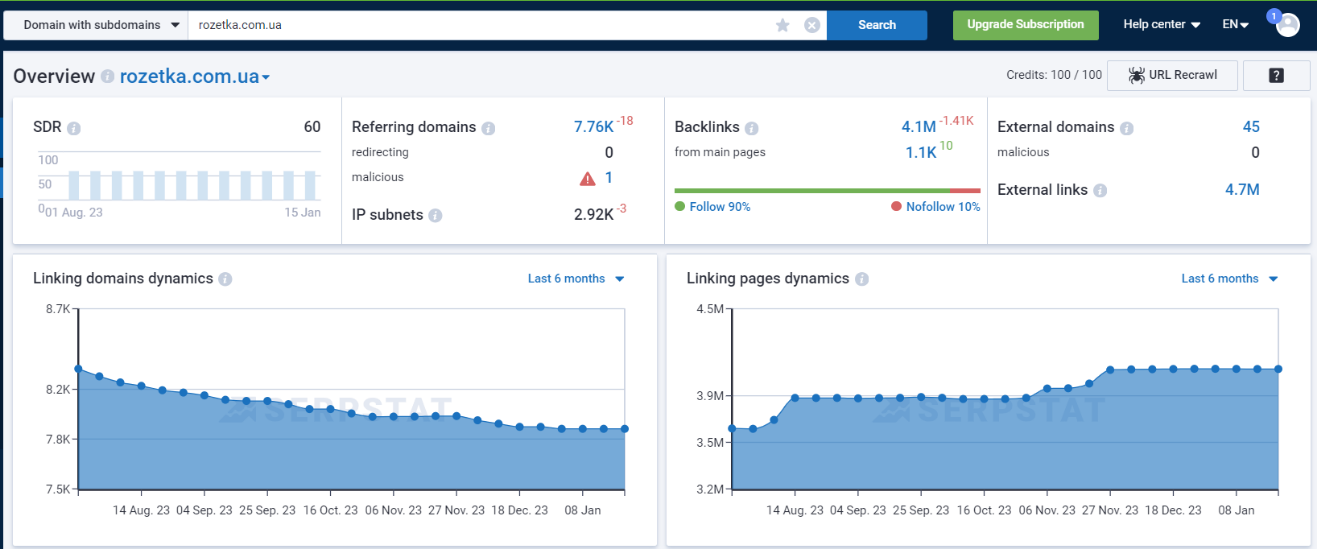
In general, with the help of Serpsta, you can:
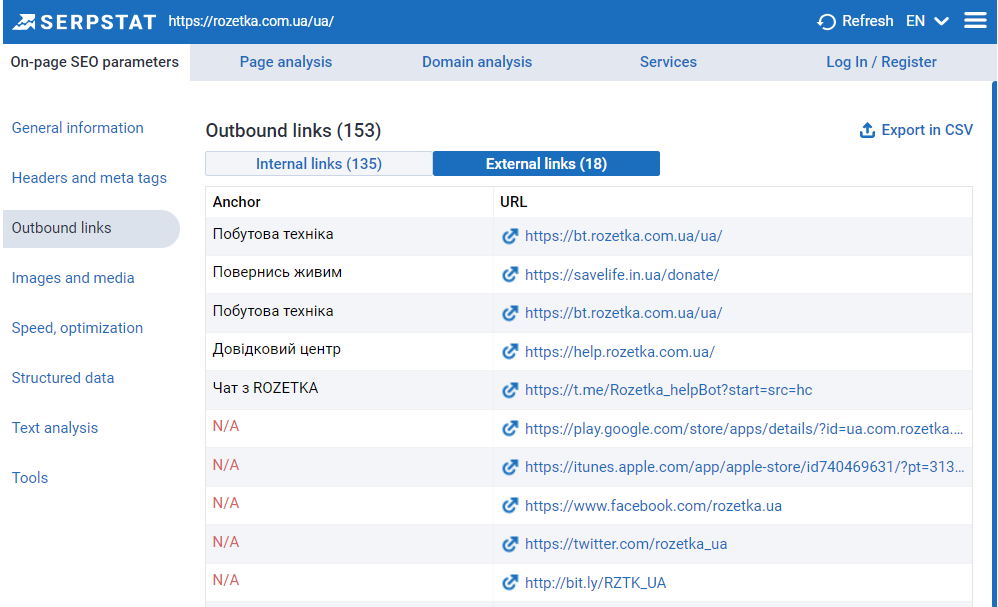
The service has an updated database, provides an extensive limit of checks, and its functionality is constantly improving. The disadvantages of using it include the fact that users may find it difficult to contact the technical support service in some situations.
Seranking is a service aimed at checking website links in detail. Users have the opportunity to use this tool for per month and also try out a free trial for 14 days.
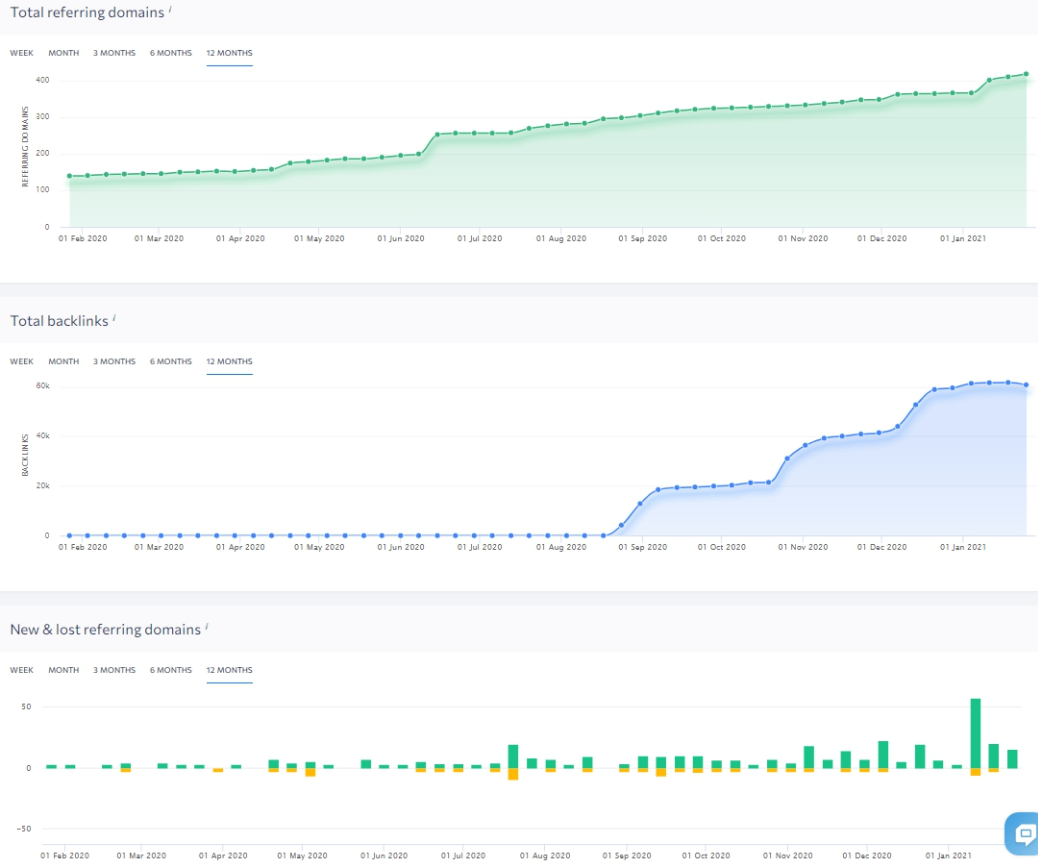
Seranking allows you to analyze a large number of links, identify URLs of pages that contain them, as well as get information about IP addresses and geolocation of donor sites. The service also provides information about the number of users who have shared a web page on Facebook, as well as about the anchors. You can sort backlinks by the most common categories: nofollow, dofollow, noindex, redirect and so on.
At the same time, Seranking uses data from sources such as Moz DA, Alexa Rank and Google index. It is characterized by a democratic pricing policy, where you may not purchase a monthly plan, but order external link checking for one website for just one dollar.
However, it is worth noting that communication with technical support can sometimes take some time, which can be a disadvantage for some users.
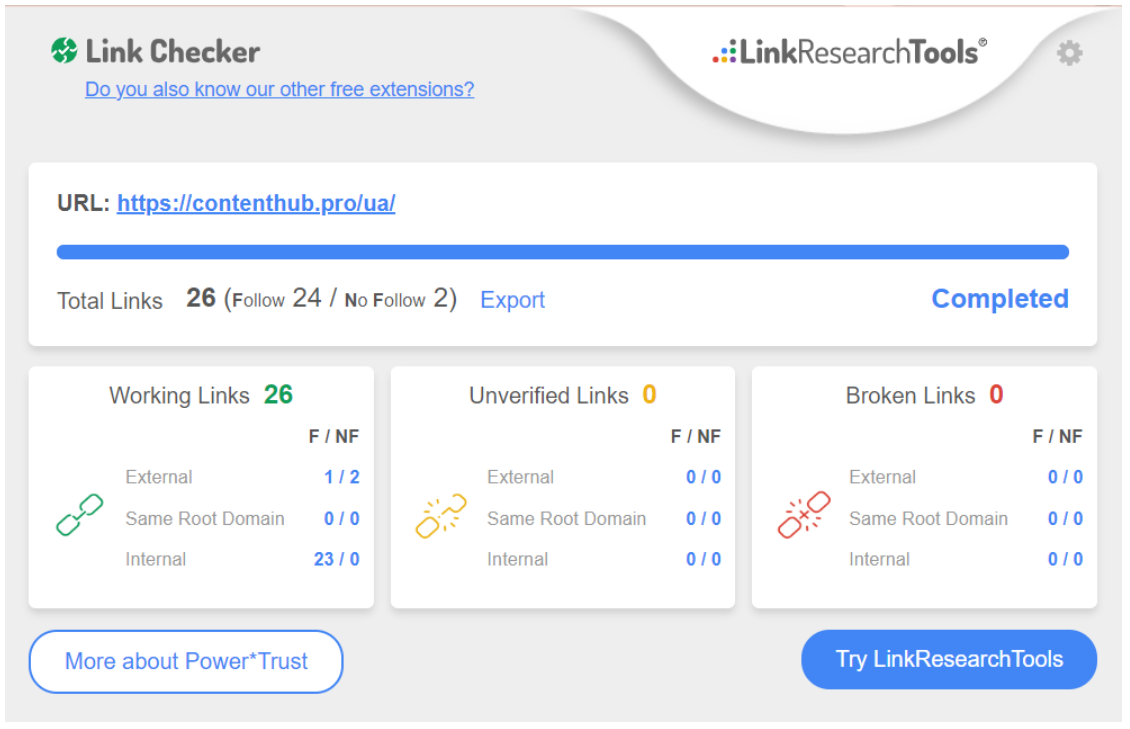
LRT allows you to check site links for free, find broken and unverified links (they will be highlighted in red color), as well as identify urls for tracking. Its functionality also gives you the opportunity to find out the effectiveness and authority of backlink sources. Thanks to this, you can remove unnecessary ones and leave those that bring the most benefit. The resulting data can be exported in XLS or CSV format, and you can analyze the source code by hovering the cursor.
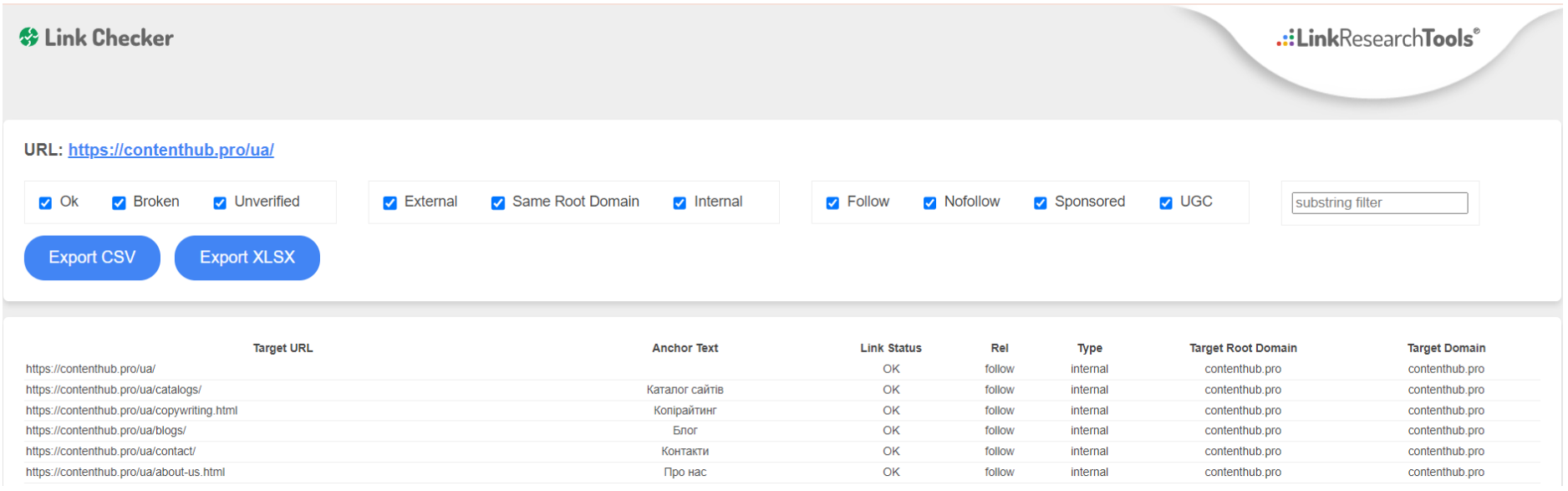
Smallseotools has a built-in set of tools that allow you to:
All you need to do is enter your domain and click on the button. It is worth noting that the tool is integrated with Ahrefs, so it allows you to get the best results. In addition, it is absolutely free, which makes it very popular among users.
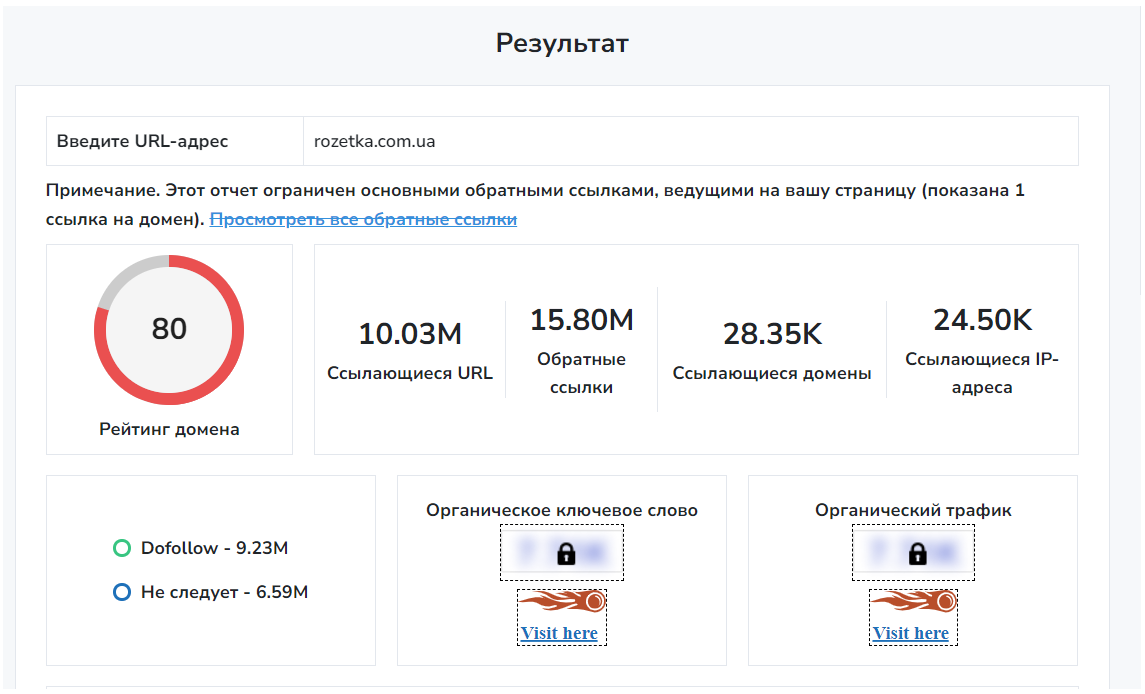
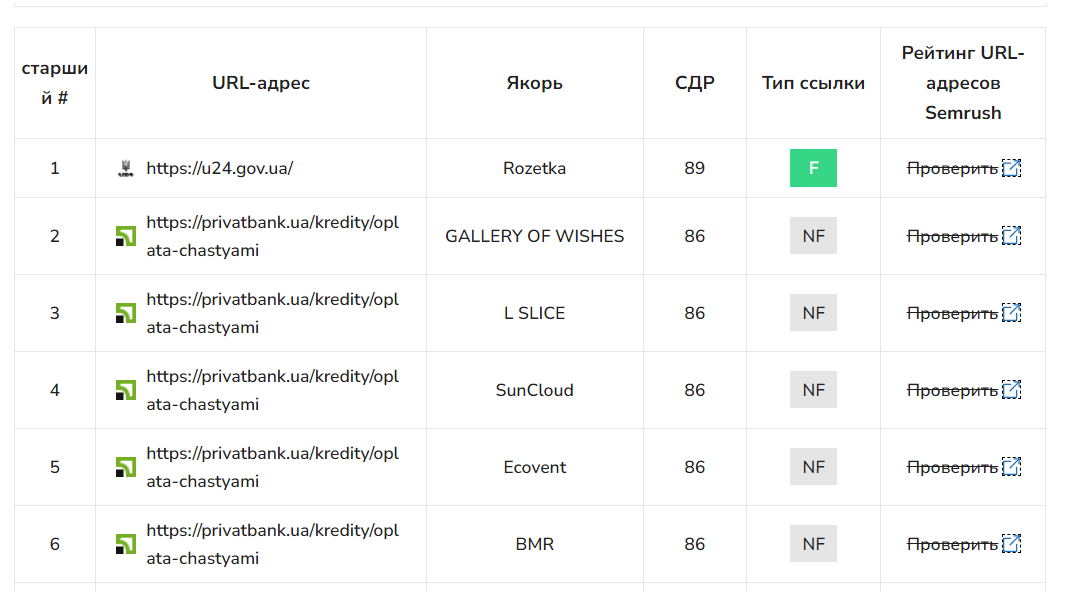
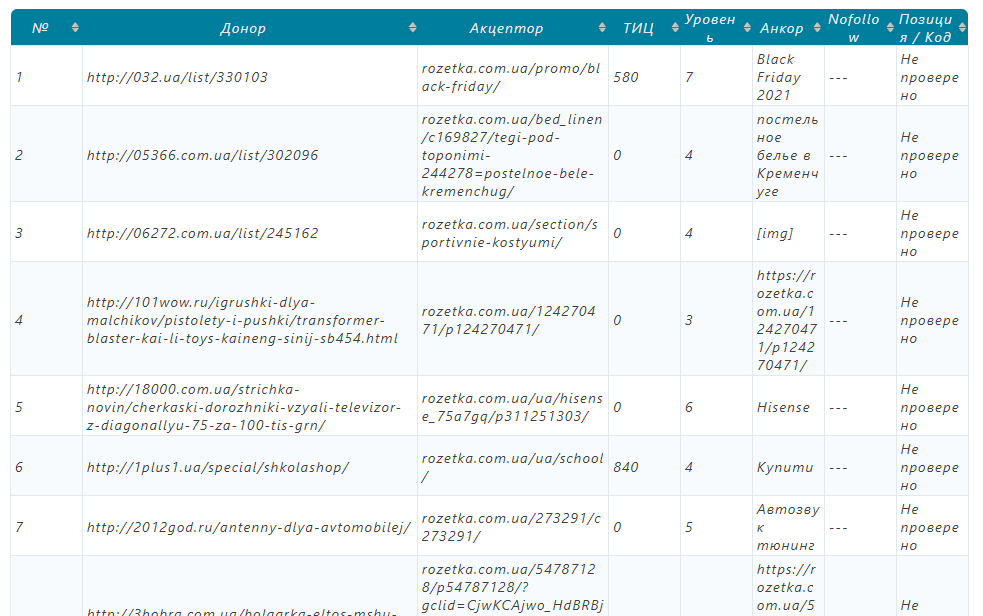
Xtool is universally used to check backlinks to a site from donors.
With its help, you can find out:
The service is free, but has limits on the number of available checks.
We have provided you with information about the most popular tools that can be used to look at backlinks. You will find many more useful articles in the Contenthub block.

SEO, Linkbuilding, Content marketing for business
Click `Register`, you confirm that you have read, fully agree and accept the terms Terms of use of the site
Already sign up Login