

 200
200Content.Hub
SEO, Linkbuilding, Content marketing for business
Click `Register`, you confirm that you have read, fully agree and accept the terms Terms of use of the site
Already sign up Login
 177
177
Website statistics is data about how many users have visited the resource. Its analysis allows you to evaluate the success of the website, determine the target audience, identify the most effective sources of traffic and much more. If you regularly monitor the dynamics of this indicator, you can easily detect possible problems and quickly take the necessary measures. In this article, Contenthub specialists will tell you about other reasons why it is important to monitor website traffic, as well as provide information about various tools for this analysis.
It is an indicator that measures the number of users who have come to a web resource over a certain period of time. It is an important tool for assessing the effectiveness of the platform and understanding its popularity among users. Knowing this indicator helps you identify the key characteristics of the audience, understand how successful are marketing strategies and what sources bring the largest influx of people.
Analyzing site traffic in terms of traffic channels provides a deeper look at the sources through which users go to the resource.
They can be as follows:
Analysis of site traffic by channel allows you to determine which marketing strategies should be improved to attract more target audience, and how to optimize interaction with different sources of traffic.
Tracking statistics is necessary to:
Tracking site visit statistics is an integral part of effective web presence management and ensures continuous improvement of the online resource.
There are all sorts of web analytics tools available to monitor this metric. One of the most popular is Google Analytics. It provides extensive data about the flow of visitors, their behavior, traffic sources and conversions. To use it, the owner of a web-site should register with Google Analytics, add a tracking code to his resource, and can then monitor a variety of indicators and receive detailed reports.
If you need complete and detailed statistics on website traffic, Google Analytics is one of the key tools to get it. This free (if you don`t need advanced functionality) web analytics tool provides the maximum amount of useful information.
In particular:
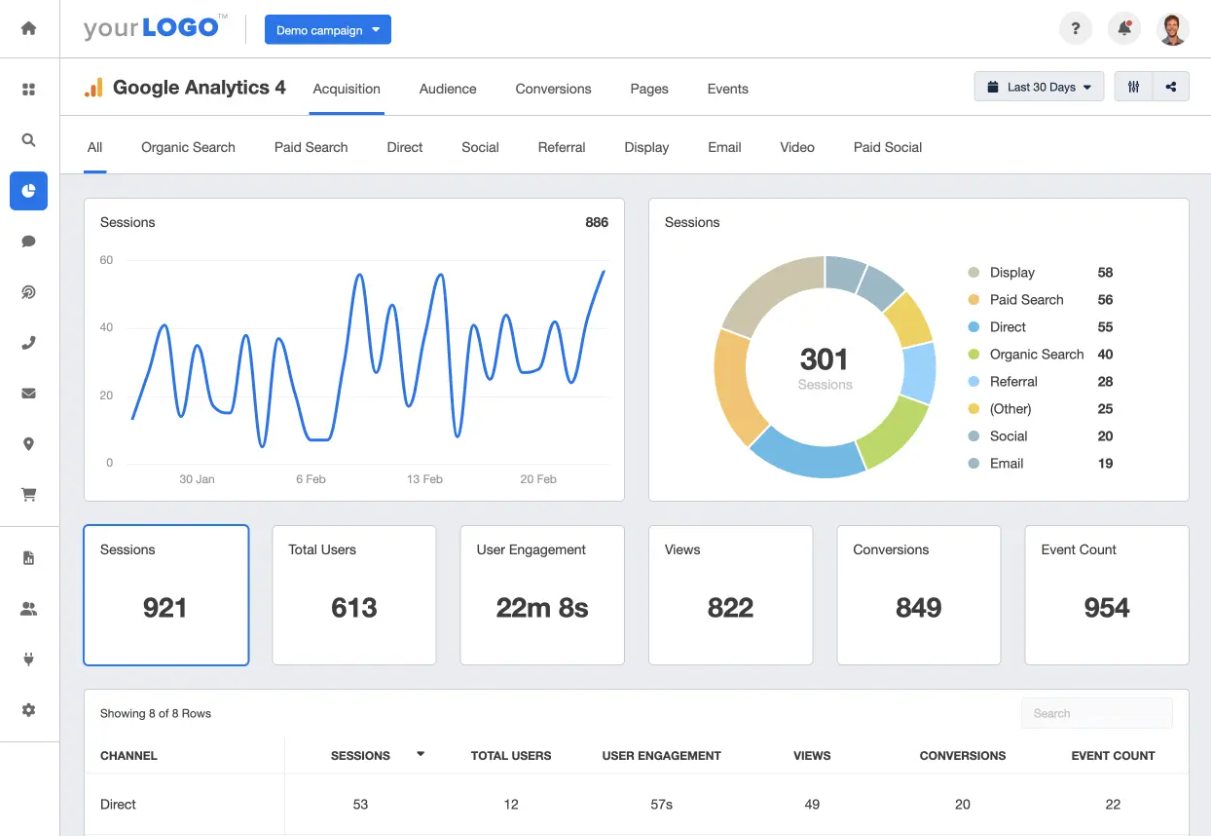
Google Analytics provides an extensive set of reports and analytics to evaluate website performance. These reports cover different aspects of how visitors interact with your content. In addition, Google Analytics integrates with other Google products to enrich its functionality (Ads, Data Studio, Search Console).
Checking website traffic for free with Google Analytics is a great option, especially if you are looking for a free, functional and easy to understand tool. It is a great alternative to many other services, including paid ones.
If you are looking for a way to find out the traffic to your website, take a look at Google Search Console. This is a series of tools for evaluating the ranking of a web resource in Google. All you need to do to work with them is to add a web resource and confirm the rights to use it. You can do this in several ways: through Domain, URL prefix, etc. In the first case, confirmation is done through the creation of a new record in the DNS settings. In the second case, you can confirm ownership through an HTML file, by adding a special meta tag to the code of the homepage or a TXT record in the DNS domain. Obtaining confirmation is also available through Google services such as Tag Manager and Analytics.
Google Search Console features:
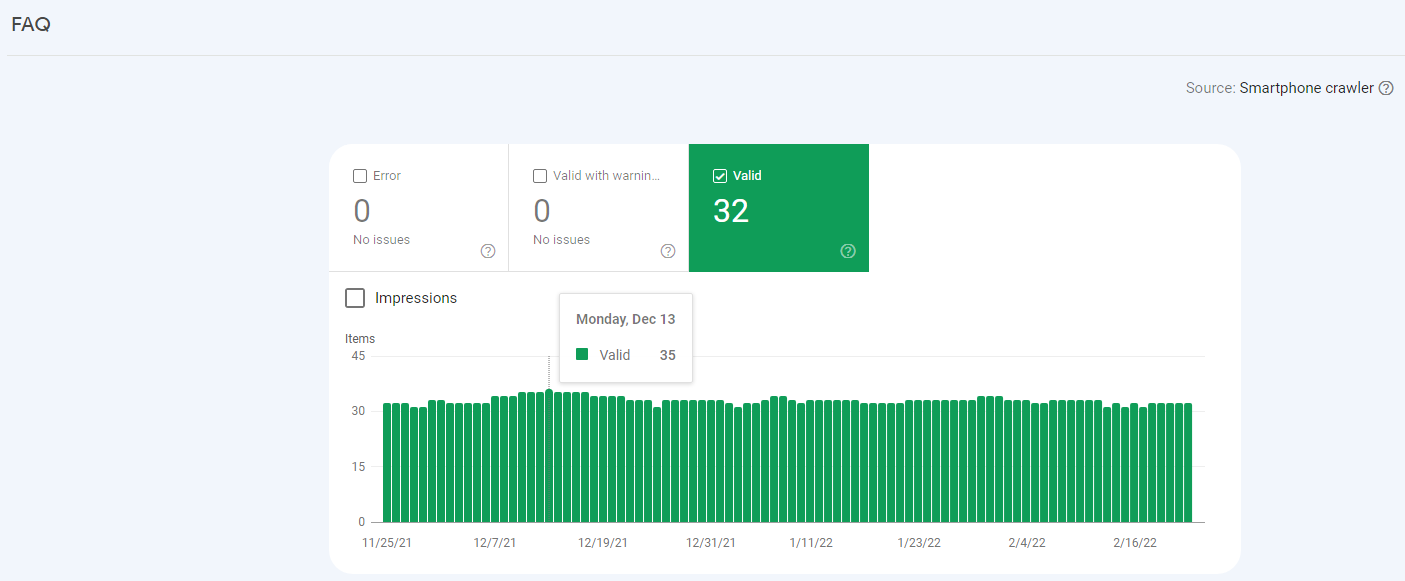
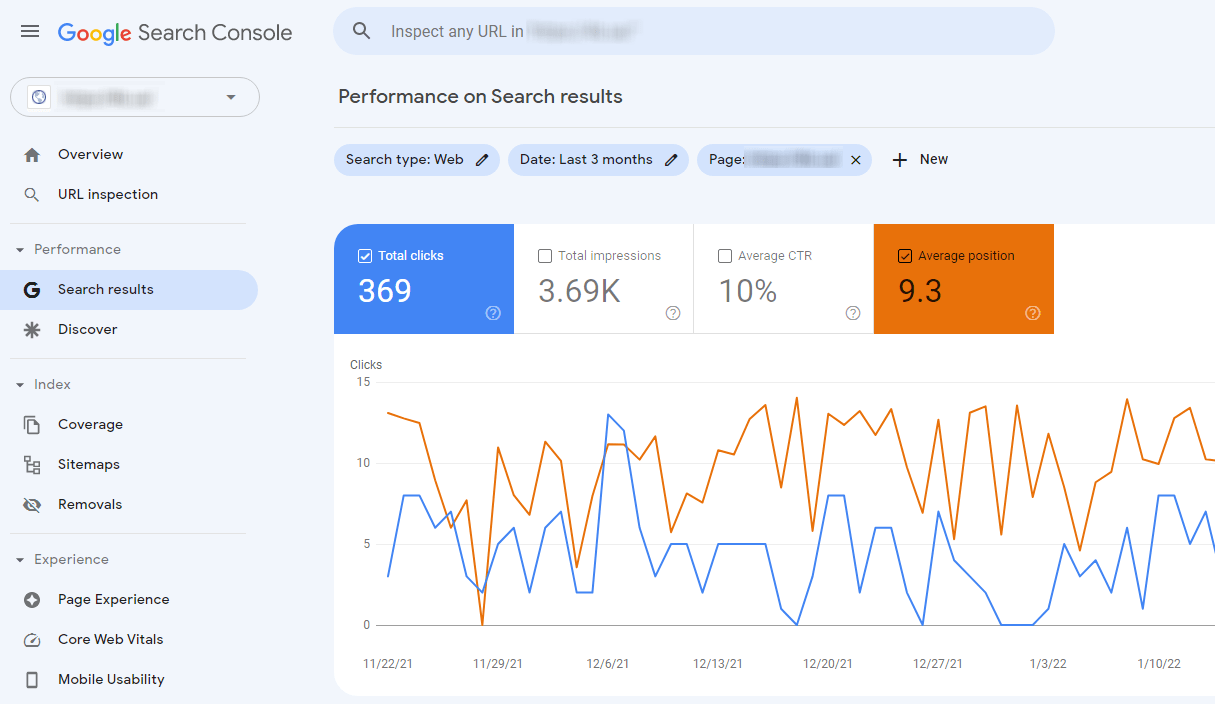
To monitor the location of the resource in the search results, the Search Results section is widely used.
Here you can check the following parameters:
Here is an example of a report on one of the website pages, where the average position in the search results for the last three months was 9.3, which, in general, can be considered a good result.
Google Search Console allows you to create similar reports for:
This information is fundamental to optimize and improve the position of the web-site in the search engine, as well as to attract organic traffic.
There are several ways to check the attendance of the site. The most effective of them is the use of special tools.
Information that can be obtained with the help of special services:
It is an online tool with an English-language interface that can be used to obtain a vast amount of data about the mobile and desktop versions of a website.
Namely:
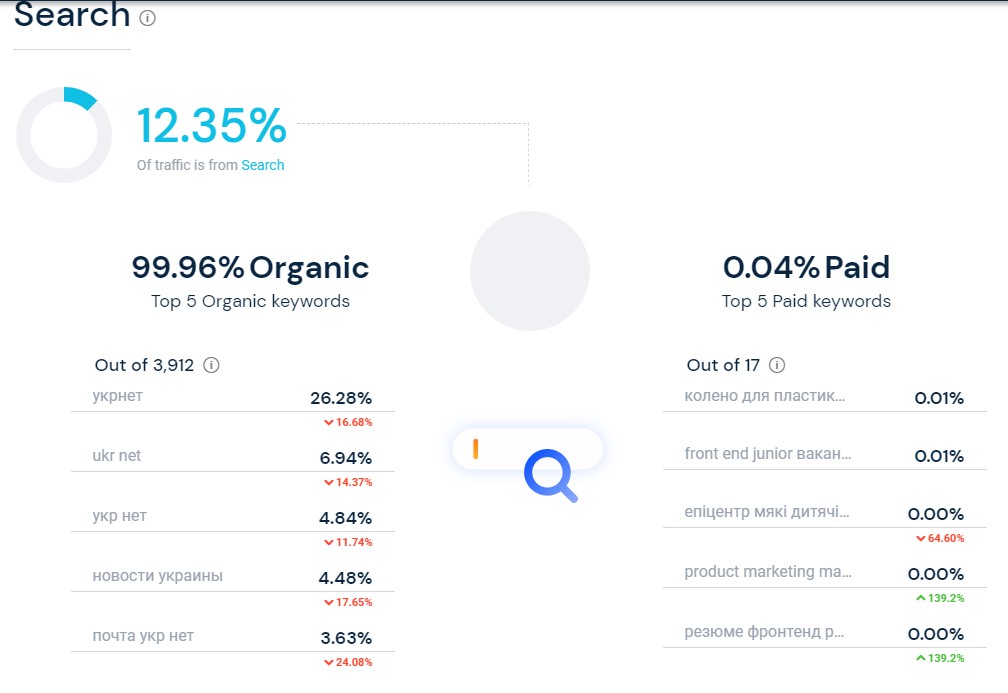
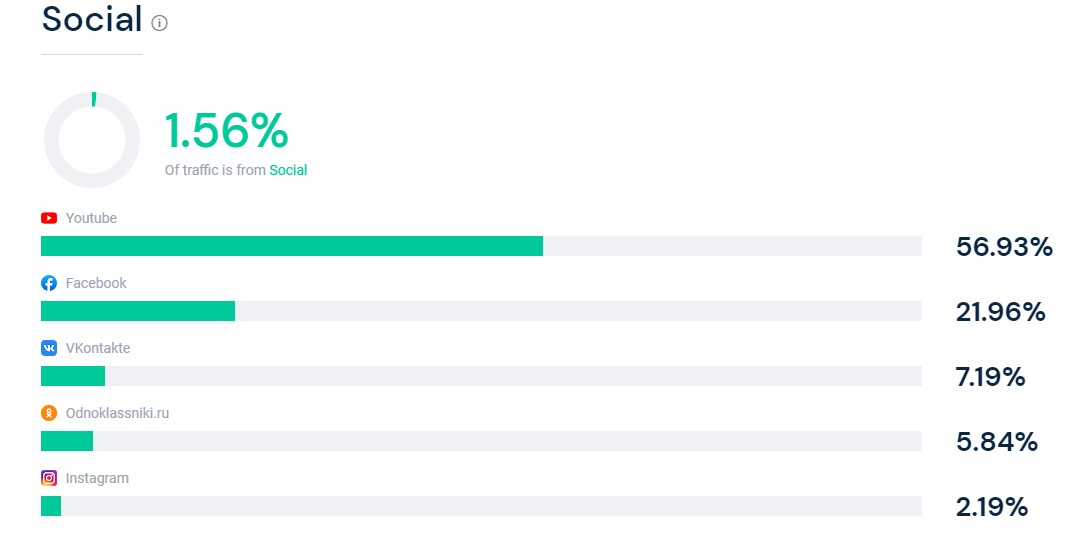
SImilarweb allows you to find out your website traffic and provides tips on how to develop it if the data is insufficient.
These recommendations include:
In addition, Similarweb allows you to check the site traffic of competitors and similar resources, as well as compare and analyze various parameters. To get more extensive materials, you need to purchase the RRO-version of the service. However, even the Trial-version is enough to compare the data on transitions to your and other people`s resources.
Similarweb collects data using several methods, including processing and analyzing its own data (by plugin), using data from other extensions (purchased from other sources), cooperating with providers and obtaining information from them, as well as using search robots. The service operates on a paid subscription basis, but also has a trial period.
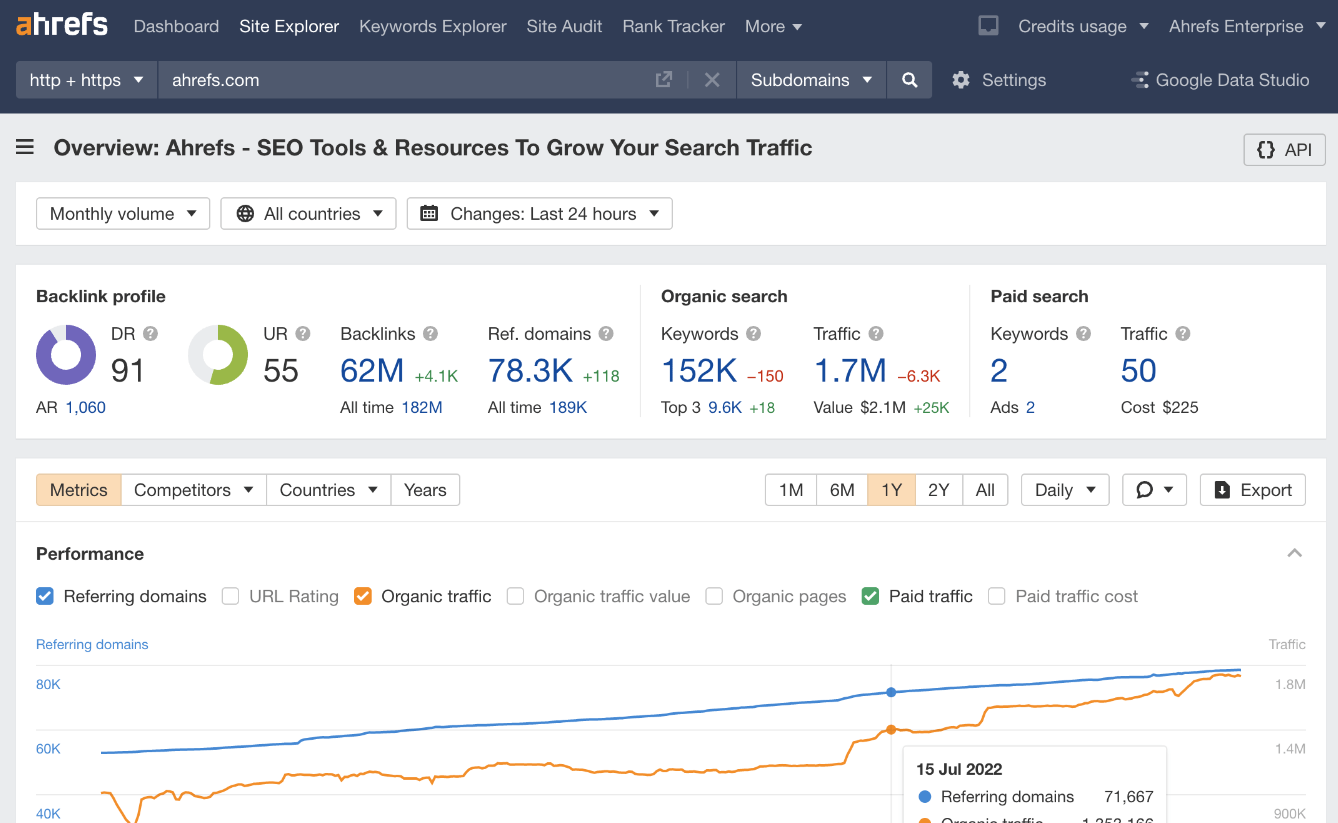
Another way to check website traffic is to use the Ahrefs SEO promotion platform.
Its main functions include:
You can also use Serpstat to check website traffic. It is a web analytics service and SEO tool that has a wide range of functionality.
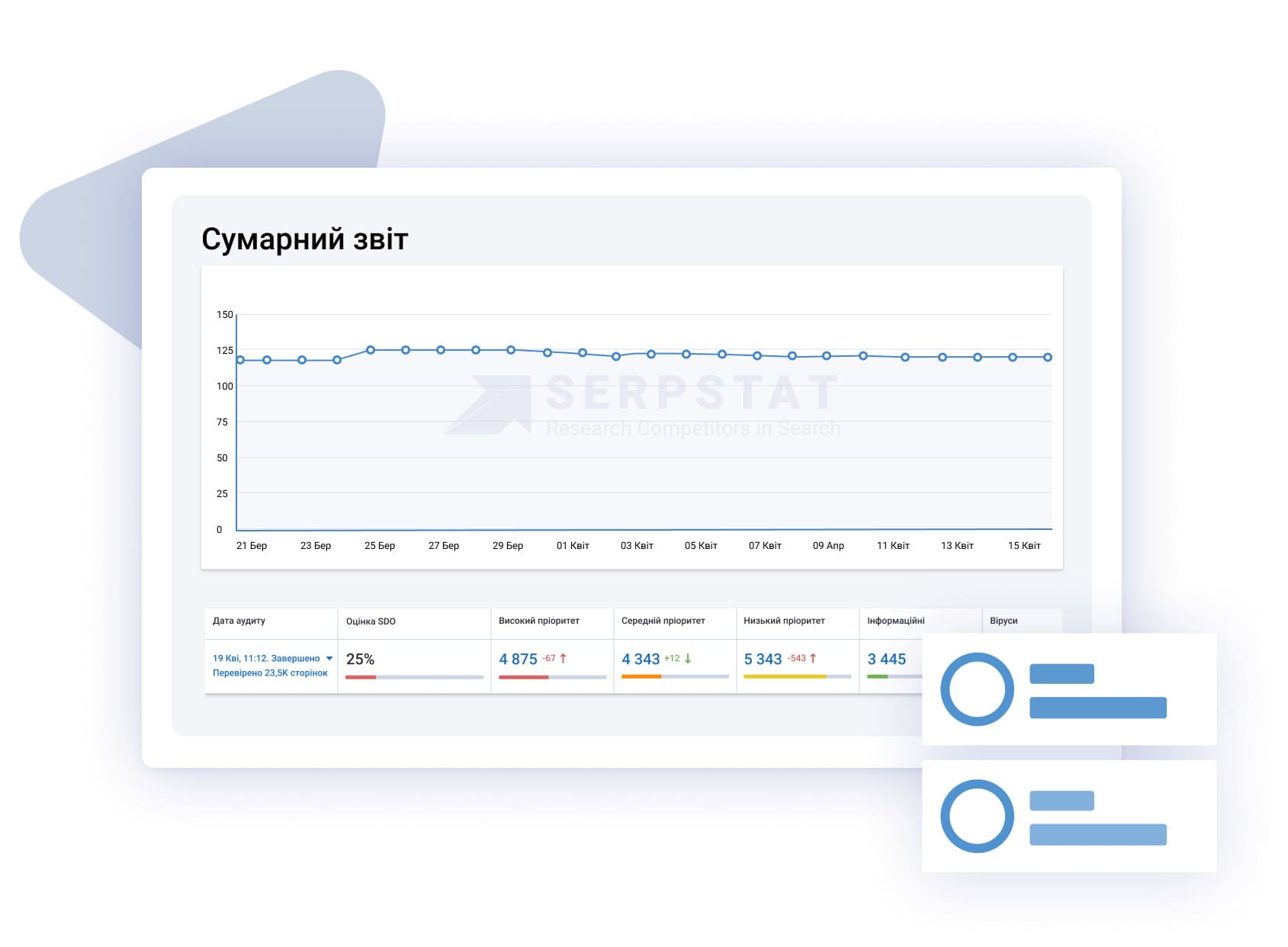
We suggest familiarizing yourself with some of its features:
Serpstat provides various paid plans, depending on the functionality and amount of usage.
SEMrush is a popular marketing and SEO optimization service that provides a wide range of features to improve web projects, including checking websites for traffic.
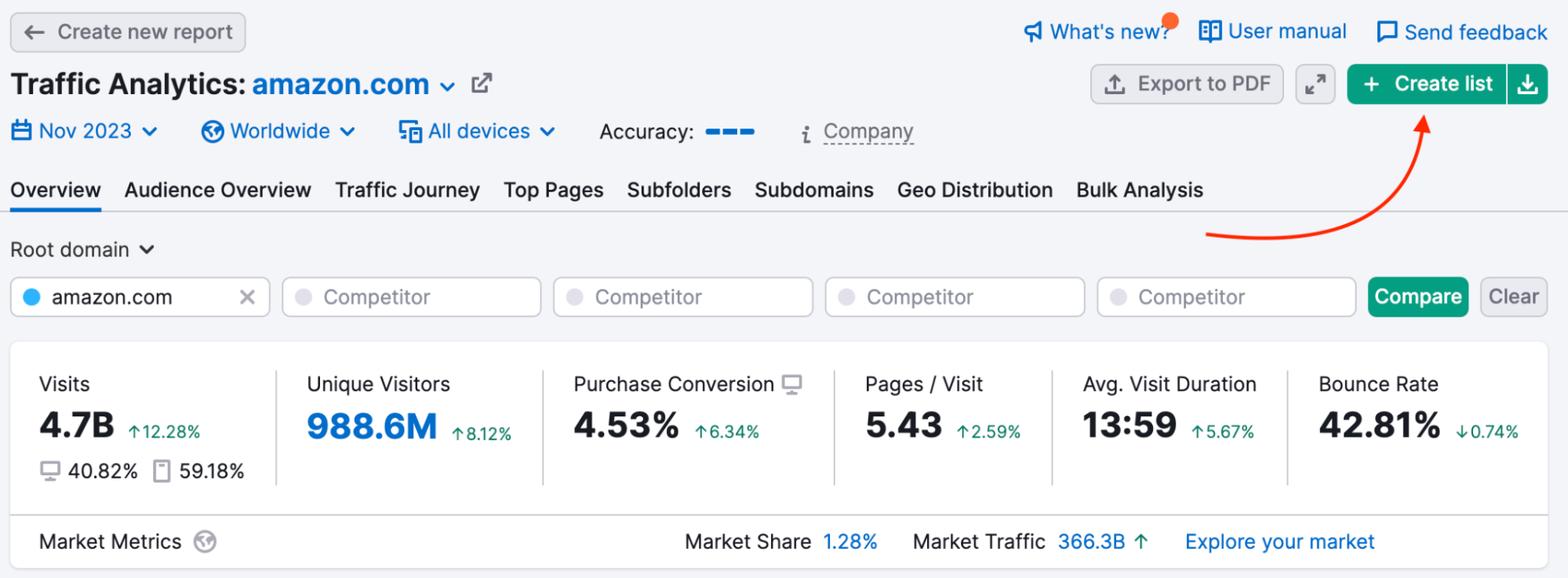
Its most important aspects:
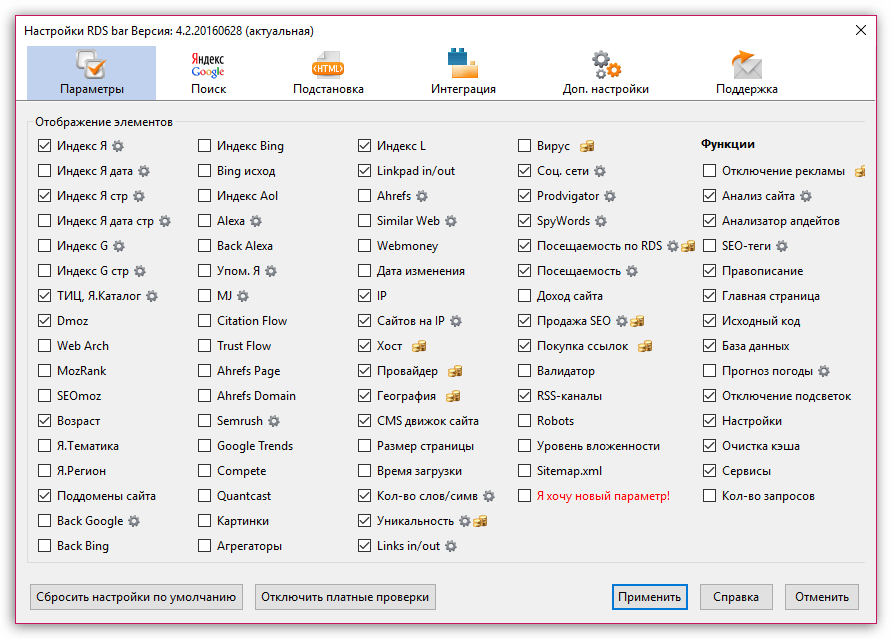
RDS Bar is a well-known SEO plugin compatible with Chrome, Firefox and Opera browsers. It provides analysis of various SEO parameters such as domain age, page indexing and backlinks. It is important to note that the plugin also allows you to check a site`s traffic by providing data for the last 24 hours. While this information doesn`t provide a complete view of the situation, it is great for a quick assessment. It is worth saying that you can get an accurate summary of transitions only if an open counter is installed on the resource being examined.
PR-CY is an online service for comprehensive analysis of a web resource and SEO audit. It is a counter of site visits for a certain period, which tracks changes in Internet traffic, checks SEO-optimization, website visibility, etc. Information about the influx of readers is displayed based on information from open counters, such as LiveInternet. In case of their absence, data from Alexa is used.
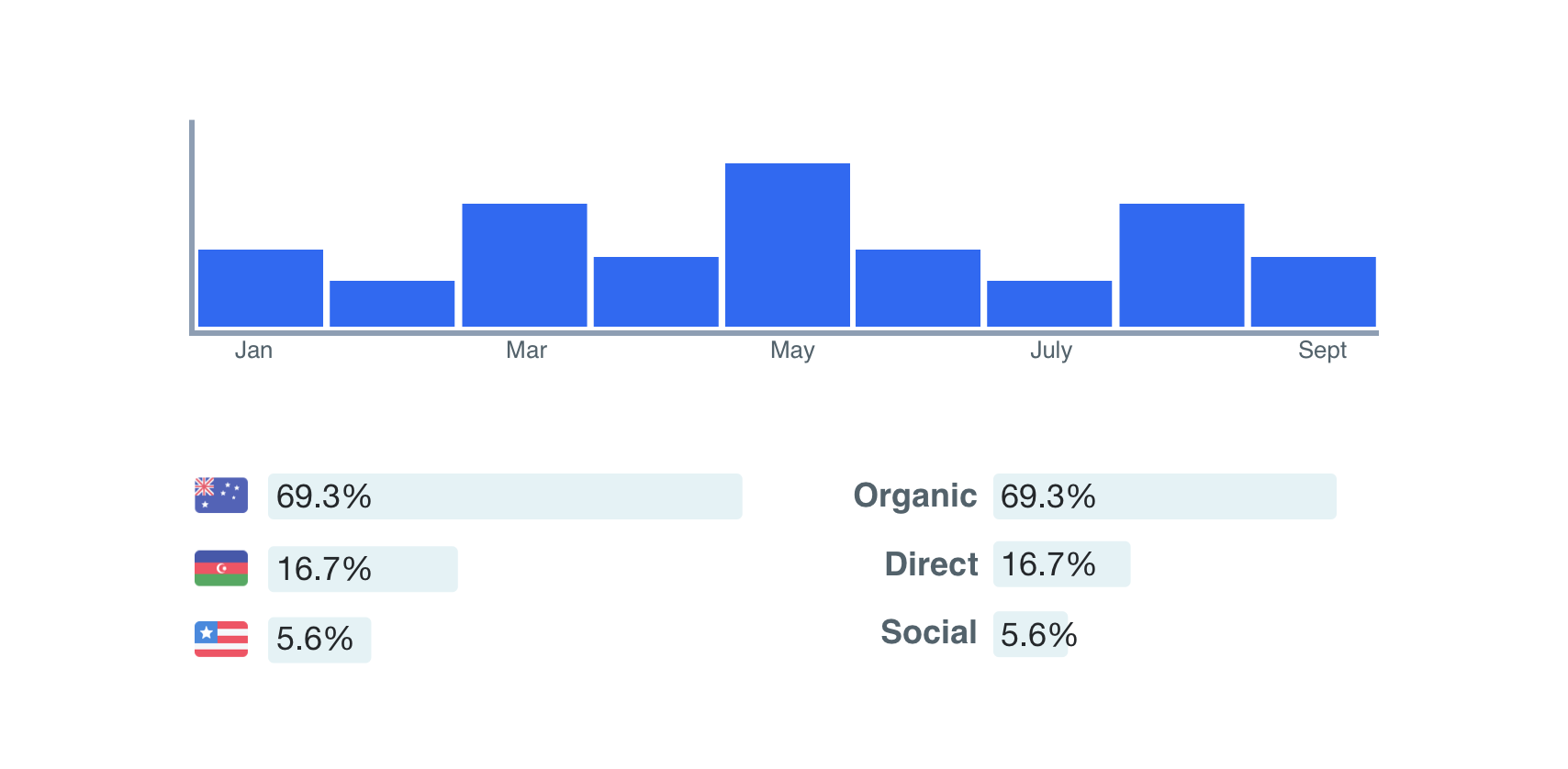
PR-CY provides extensive opportunities for comprehensive website analysis. Users can check competitors` resources, identify keys, as well as determine the position of their website in search engines. A free plan is present, and paid options are available at reasonable prices.
Nevertheless, there are some disadvantages. The data of the online website traffic checker are provided approximate due to a special calculation formula, and the free plan is limited in functionality. There are also no details about the audience, including demographics and interests, and there is no way to view traffic trends, etc.

SEO, Linkbuilding, Content marketing for business
Click `Register`, you confirm that you have read, fully agree and accept the terms Terms of use of the site
Already sign up Login